

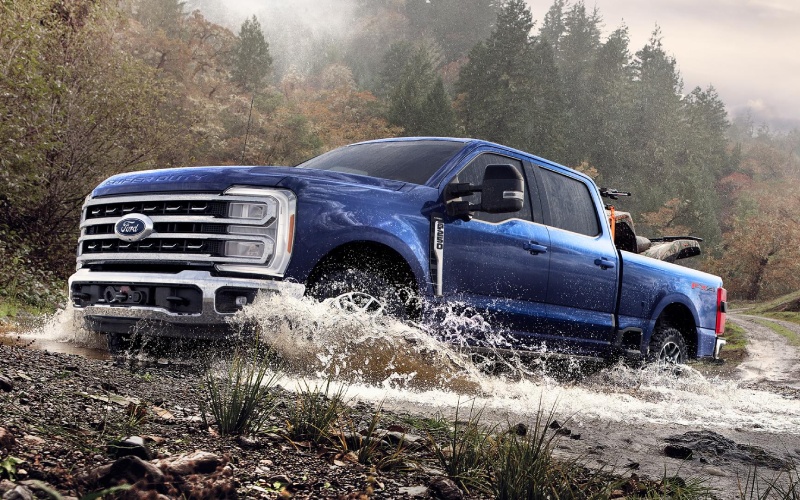
Stevens Point Auto Center – Fuel-Sipping Used Cars for Highway 51 Commutes around Wausau, WI
Highway 51, Grand Avenue, and county routes around Wausau can turn a short drive into a lot of engine idling and on-off throttle. If your daily routine includes crossing the river at rush hour or weekend trips toward Rib Mountain, a fuel-efficient used car can save time, money, and stress. Our team at Stevens Point Auto Center helps shoppers narrow the field to models that blend highway stability, modern tech, and the right set of safety features without overcomplicating ownership. Think supportive seats, intuitive infotainment, and an engine-transmission combo that settles in quietly at highway speeds. Just as important, you want a car that is easy to service and built with parts that do not strain your budget.
Which used cars tend to deliver reliable MPG?
Compact and midsize sedans remain the smart value play. A Volkswagen Jetta provides an efficient turbocharged engine with a calm, connected feel that shines on long stretches. Hyundai Elantra and Sonata models regularly top real-world MPG charts, especially when paired with Smartstream engines and smoother-shifting automatics. If you prefer Ford, a Fusion or Focus nicely balances steering feel with everyday comfort, while the Fusion Hybrid can push economy even higher on mixed commutes. Want crossover ride height without a big MPG penalty? Consider efficient versions of the Hyundai Kona or Ford Escape—especially models with smaller displacement turbos and well-matched gearing.
Before you decide, think through your routes. Highway 51 cruising rewards cars with taller gearing and quieter cabins. Urban hops near Stewart Avenue or Bridge Street benefit from stop-start systems and efficient four-cylinders. If you park outdoors, heated seats and a remote start can make winter bearable without undermining your fuel budget—just use them strategically. And if your day alternates between city and highway, look for adaptive cruise control and lane-centering assistance that reduce fatigue while you keep speeds smooth and steady.
Key features to prioritize for efficient commuting
- Drivetrain efficiency: Smaller displacement engines with direct injection, hybrid systems, or refined CVTs/automatics help keep revs down at speed.
- Aerodynamics and tires: Low-rolling-resistance tires and clean aerodynamics can add measurable MPG on Highway 51.
- Driver-assistance tech: Adaptive cruise control and lane keep can smooth speed fluctuations that waste fuel.
- Cabin comfort: Supportive seats, quiet cabins, and effective climate controls reduce driver fatigue over longer stretches.
- Infotainment simplicity: Wireless Apple CarPlay or Android Auto streamlines navigation and keeps attention on the road.
We also recommend a vehicle with clear maintenance records. Oil changes, coolant service, and transmission fluid changes are the foundation of long-term MPG and reliability. Our service center uses OEM parts and follows recommended intervals to keep engines running cleanly and efficiently. It is not just about the sticker MPG—a well-maintained car delivers consistent efficiency year after year, and that consistency is what keeps your budget steady.
When comparing models, look at curb weight, transmission programming, and engine torque curves. A torquey turbo four can feel relaxed at 65 mph, using less throttle than a larger naturally aspirated engine that needs more revs. Hybrids excel during low-speed city segments and can still be calm at highway speeds if you pick one with good sound insulation and well-tuned regenerative braking. If you commute in winter, consider a set of quality all-season or winter tires—proper grip prevents wheelspin that wastes fuel and confidence.
Smart shopping steps that protect your budget
- Define your commute profile—percent highway vs. city, average speeds, and where congestion spikes.
- Set a clear feature checklist—must-haves like heated seats, remote start, or adaptive cruise, plus two or three nice-to-haves.
- Get pre-approved—know your budget before test drives so you compare cars you can truly consider.
- Bring your trade-in—an on-the-spot appraisal provides real numbers for your plan.
- Test drive back to back—same route, same conditions, and note cabin noise, seat comfort, and throttle response.
Our non-commission product specialists keep the focus on fit and value. We use One Low Price so you do not have to out-negotiate anyone to get a fair deal, and our finance team works with a range of lenders to support first-time buyers and credit rebuilders. After purchase, our award-winning service department and OEM parts support help keep maintenance predictable, which is crucial to protecting fuel economy over time.
Finally, think about total cost of ownership: insurance, tires, brakes, and recommended services. Cars with common tire sizes and accessible components are often less expensive to maintain. Ask us about service histories and typical maintenance milestones for the models on your shortlist. We will walk you through intervals and help you map a sensible plan for the next 24–36 months. If your goal is smooth, economical drives from Wausau to work and back, the right used car—chosen with a clear checklist and supported by the right maintenance—can make every mile easier on your schedule and your wallet.
Request more information

Stevens Point Auto Center – How the 2026 Volkswagen Atlas Makes Family Driving Easier around Wausau, WI
The 2026 Volkswagen Atlas has a clear purpose: make daily life simpler without sacrificing the comfort, technology, and confidence you want in a modern three-row SUV. Around Wausau, WI, that means accommodating mixed errands, school schedules, and weekend trips with room to spare—plus the right tech to keep everyone connected. From the large 12-inch touchscreen to the Digital Cockpit Pro, the Atlas brings key information right to your line of sight and keeps the cabin experience calm, organized, and intuitive.
Under the hood, the turbocharged 2.0 TSI engine delivers 269 horsepower and, more importantly for everyday driving, 273 lb-ft of torque that arrives early and steadily. You feel that robust torque when merging onto Highway 29, climbing rolling hills west of town, or moving a full crew and cargo at once. Available 4MOTION All-Wheel Drive adds confident traction when conditions vary from dry pavement to slick side streets, while selectable drive modes let you tailor responsiveness for what the day brings. If you occasionally tow a small camper or a utility trailer, the Atlas’s 5,000-pound maximum towing rating—when properly equipped—adds flexibility without making the vehicle feel like a chore to drive.
Cabin Space That Works the Way You Live
Wausau drivers often need a third row that truly works for adults—whether for carpooling or visiting family. The Atlas accommodates that need with generous headroom and legroom throughout all three rows, and wide-opening doors that make loading up simpler. Choose between a second-row bench or available captain’s chairs for easier access to the third row. With up to 96.6 cubic feet of cargo space when the rear rows are folded, you can say yes to large-costco runs, band equipment, or DIY supplies without staging every item in the driveway first.
Standard wireless App-Connect keeps personal devices front and center with Apple CarPlay and Android Auto, and a wireless charging pad plus multiple fast USB-C ports ensure you’re not juggling cords. Add the available Harman Kardon premium audio system and the Atlas does morning commutes and road trips with an unexpectedly refined soundtrack. The panoramic sunroof, available on higher trims, brightens the cabin and helps long stretches on US-51 feel less like a slog and more like time well spent.
Technology That Simplifies, Not Complicates
The Atlas’s 12-inch touchscreen is more than just large—it’s laid out to support quick, precise inputs. The Digital Cockpit Pro goes a step further by centering the information you want most, from turn-by-turn guidance to active driver-assistance status. It’s the kind of thoughtful integration that reduces distraction and helps you stay focused. myVW connectivity adds practical convenience: with compatible vehicles, you can use your smartphone to check lock status, find your last parked location, or use remote start in certain scenarios—helpful when you’re juggling activities from Marathon County Park to errands near Stewart Avenue.
Driver assistance is another strong suit. IQ.DRIVE plays a supporting role on longer highway stretches with Travel Assist, and everyday maneuvering feels less stressful thanks to features like Front Assist, Side Assist (Blind Spot Monitor), and Rear Traffic Alert. Available Park Assist and Area View can be particularly helpful when vacation traffic tightens up around Rib Mountain shopping or you’re slipping into a parallel space downtown.
Where the Atlas Outpaces Common Alternatives
Several capable three-row SUVs compete for your attention, including Toyota Highlander, Honda Pilot, Kia Telluride, and Hyundai Palisade. The Atlas distinct advantage is how it balances third-row comfort with cargo capacity while keeping a generous standard tech package. The adult-ready third row makes a real difference if you routinely carry more than four people. The 12-inch display and Digital Cockpit Pro deliver a premium, modern feel without relying on top trims. And across the Atlas lineup, IQ.DRIVE helps ensure you do not have to compromise on driver assistance to get the space you need.
Many rivals offer comparable towing at 5,000 pounds, but the Atlas’s torque delivery and transmission tuning make day-to-day driving more relaxed. You get brisk, predictable response at lower revs, so you’re not revving high just to get back up to speed on multi-lane highways or when making short passing maneuvers. We also appreciate how the Atlas’s available hands-free liftgate, expansive cargo floor, and low liftover height reduce the strain of loading sports gear or bulky boxes.
Choosing Your Trim with Confidence
Trim selection is about matching features to your routine. The SE trim sets a compelling baseline with the big screen, Digital Cockpit Pro, IQ.DRIVE, and heated front seats. SE w/ Technology adds convenience with a power liftgate and Park Distance Control. Peak Edition variants bring sportier, more rugged design cues—perfect if you appreciate the look and could use the added visual distinction in parking lots. SEL and SEL Premium R-Line take comfort and convenience to a higher level—think panoramic sunroof availability, premium seating surfaces, ventilated front seats, and, in many cases, standard 4MOTION—ideal for mixed-surface travel to parks, lakes, and trailheads around the Wausau region.
If you are mapping out family needs for the next five to seven years, consider seating flexibility. Captain’s chairs can make third-row access a one-step move for kids, while the bench maximizes total passenger capacity. Either way, the Atlas’s broad doors and thoughtfully designed second-row slide-and-tilt function help make installing and accessing car seats less of a chore.
Everyday Ease for Busy Wausau Schedules
Daily routines in and around Wausau often blend city streets, multi-lane highways, and neighborhood roads. The Atlas’s calm steering, refined ride quality, and sound insulation help keep those transitions smooth. At the same time, practical touches—like multiple storage areas, large cupholders, and easy-to-clean surfaces—mean your SUV is set up for real life, not just showroom appeal. With strong available lighting, wide mirrors, and the option to add camera views for tight parking, the Atlas is set to support your entire week.
From a shopping perspective, you’ll find that the Atlas’s feature availability scales logically. You can keep things simple with the SE and still enjoy a modern cabin with the big screen and safety tech, or move up to add premium audio and comfort upgrades as you wish. That kind of flexibility makes the Atlas a smart long-term pick—ready to grow with family needs and changing routines.
Frequently Asked Questions:
How much cargo space does the 2026 Volkswagen Atlas offer when I need to haul larger items?
With the rear seats folded, the Atlas provides up to 96.6 cubic feet of cargo capacity—plenty for sports equipment, home project supplies, or a big shopping run.
Is the third row comfortable for adults, or is it best for kids only?
The Atlas is known for a genuinely adult-friendly third row, offering more headroom and legroom than many competitors. It is a practical space for carpooling and family visits, not just occasional use.
What driver-assistance features are standard?
IQ.DRIVE is standard and includes technologies such as Front Assist with Automatic Emergency Braking, Lane Assist, Side Assist (Blind Spot Monitor), Rear Traffic Alert, and more. Travel Assist and Adaptive Cruise Control are available to support highway confidence.
Does the Atlas have a large standard touchscreen?
Yes. The 12-inch center display is standard on most trims and pairs with the Digital Cockpit Pro for a modern, easy-to-navigate interface.
Can I get All-Wheel Drive?
Yes. 4MOTION All-Wheel Drive is available on several trims and standard on select higher trims, adding confident traction for variable road conditions.
Whether you are comparing three-row SUVs by seating space, technology, or everyday drivability, the 2026 Volkswagen Atlas should be on your test-drive shortlist. It blends room, tech, and capability in a way that supports Wausau’s varied routines—from work commutes to weekend lake runs. At Stevens Point Auto Center, serving Wausau, Plover, and Wisconsin Rapids, we can help you match trims and features to your daily life and get you on the road with confidence.
Request more 2026 Volkswagen Atlas information
How the 2026 Volkswagen Tiguan’s Digital Displays and Connected Features Reduce Daily-Drive Stress around Wausau, WI
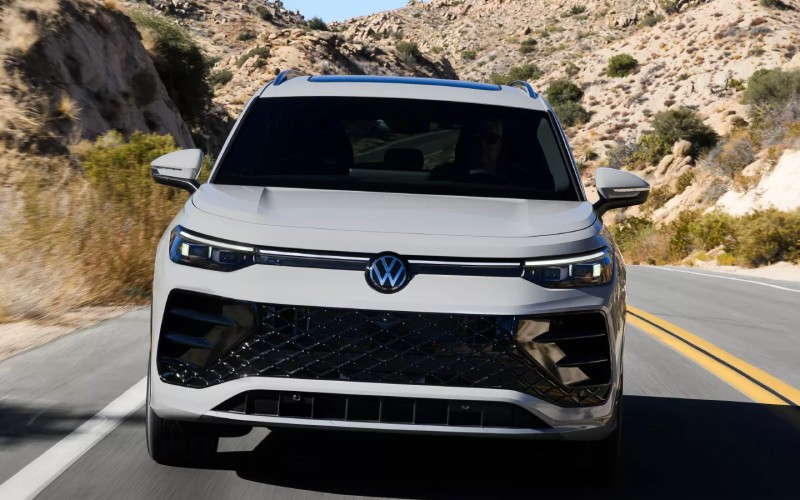
Stevens Point Auto Center – How the 2026 Volkswagen Tiguan’s Digital Displays and Connected Features Reduce Daily-Drive Stress around Wausau, WI
When you spend a lot of time around Stewart Avenue, Grand Avenue, and Rib Mountain Drive, the little conveniences inside your SUV matter as much as big capabilities. That is where the 2026 Volkswagen Tiguan shines. Its clean, modern cockpit puts a standard 12-inch center display front and center, and it is designed to be fast and easy to use. The menus are clear, the response is crisp, and key controls are right where you expect them. On upper trims, a larger 15-inch touchscreen raises the bar even further, pairing a premium look with performance that feels like your best tablet—only tuned for driving.
This is not technology for technology’s sake. It is there to reduce friction in your day. Wireless App-Connect supports your favorite smartphone features without the cable clutter, and available wireless charging keeps your battery topped off while you focus on the road. Add the available Wi-Fi Hotspot, and your passengers can stream and work on the go, whether you are heading from Rib Mountain State Park into downtown or making a weekend run along US-51. It all adds up to a cabin that stays organized, responsive, and easy to live with.
Smarter voice assistance with myVW+
If you want to go beyond basic voice commands, the Tiguan’s available Premium Speech through myVW+ is a thoughtful step forward. The system is built to understand more natural prompts, helping you get to common functions—like navigation inputs or audio selection—without rigid phrasing. It is the sort of small improvement you notice immediately when traffic picks up near Bridge Street or you are juggling multiple tasks on a busy afternoon. Pair Premium Speech with clear on-screen menus and the available Driving Experience Dial, and you get a cockpit that feels intuitive from the first mile.
The Digital Experience stretches beyond the touchscreen. The instrument display is clean and configurable, so you can keep relevant information (navigation, driver assistance status, or vehicle data) directly in your line of sight. It helps reduce the mental overhead of switching between screens. That matters when you are managing lane changes on WI-29 or keeping an eye out for a turn in a new neighborhood—less fumbling, more focusing.
Connected features that fit your day
For many Wausau-area drivers, starting the day efficiently makes everything else smoother. With myVW+ connected services, remote features like remote start (if equipped), remote lock/unlock, and last parked location are available right on your phone. Running out the door for a morning meeting on First Avenue? Lock up from the office if you forgot. Planning a quick lunch pickup by the riverfront? Check where you parked without retracing steps. These small touches give you control beyond the cabin, and that is what modern convenience should feel like.
Inside the Tiguan, cable chaos is optional—not a requirement. Wireless App-Connect and a tidy console keep the front row clean, while available wireless charging eliminates another cord. The center display’s layout means navigation, audio, and settings do not get buried under layers of menus. It is designed so the entire interior workflow—finding a playlist, setting a route, checking driver assistance status—feels unified and predictable.
IQ.DRIVE® lowers the stress in stop-and-go
Driver assistance is as much about reducing fatigue as it is about adding safety nets. The Tiguan’s IQ.DRIVE® system helps on both counts. When properly equipped, hands-on Travel Assist works with lane-centering and adaptive cruise features to help you maintain your lane and a set following distance. It is especially helpful on steady highway stretches north of town or in lingering traffic near the retail corridors. You are still in charge, but the assistance can take some of the strain out of managing the ebb and flow of traffic.
Awareness features help with the day-to-day moments that matter most. Side and rear alerts are useful when backing out of a tight spot on a busy lot. Forward monitoring and automatic braking features add a layer of support when traffic stacks up quickly. And because visibility is a key part of confidence, bright LED lighting helps you see and be seen—especially valuable during early mornings when you are heading out to Rib Mountain trails or across town for an appointment.
When comfort meets control
The top-tier SEL R-Line Turbo adds touches you typically expect in luxury crossovers, such as diamond-stitched leather with massage and ventilated front seats. Pair that with a composed chassis and available 4MOTION® all-wheel drive, and the Tiguan blends calm comfort with control that feels reassuring as road conditions vary. It makes longer treks on WI-29 feel easier and gives you that quiet, refined ride on local streets where a lot of crossovers feel busy.
The cabin design also respects your time. Fold the rear seats to open up to 69.8 cubic feet of cargo space—handy when you are loading bulky gear or tackling a project. The load floor is flat, and the opening is wide, so you do not have to contort boxes through a narrow gate. Thoughtful storage spaces up front handle the everyday items—sunglasses, cards, cables—without eating into your elbow room.
Feature highlights to look for
- Center Display: Standard 12-inch unit with fast, intuitive menus
- Upsized Screen: Available 15-inch touchscreen on SEL R-Line Turbo
- Wireless Ease: Wireless App-Connect and available wireless charging
- In-Car Data: Available Wi-Fi Hotspot for work and play on the move
- myVW+ Access: Available remote start, lock/unlock, and more
- Driver Assist: IQ.DRIVE® with available hands-on Travel Assist
When you are test-driving, try this simple checklist. First, explore the home screen layout—switch from navigation to audio to settings and notice how few taps it takes. Next, pair your phone wirelessly and confirm your go-to apps appear where you expect. Finally, set up the assistance features you prefer and take a short highway loop to feel how the Tiguan holds its composure at speed. The common takeaway is usually the same: the tech is helpful and out of the way, not fussy or distracting.
Frequently Asked Questions:
Does the 2026 Tiguan support wireless smartphone integration?
Yes. Wireless App-Connect is supported, allowing compatible devices to connect without a cord for key smartphone features.
Can I use remote features from my phone?
With myVW+ services and an equipped Tiguan, available features like remote start, lock/unlock, and last parked location can be accessed from a compatible smartphone.
Is a larger touchscreen available?
Yes. While every Tiguan includes a standard 12-inch center display, upper trims offer an available 15-inch touchscreen for an even larger, more premium interface.
What driver assistance features should I try on a test drive?
Explore IQ.DRIVE® features, including the available hands-on Travel Assist for supportive lane-centering and adaptive cruise behavior on highways.
Ultimately, the 2026 Volkswagen Tiguan’s technology is not about chasing trends—it is about removing obstacles between you and a smooth, focused drive. The combination of crisp displays, wireless convenience, available Premium Speech, and confidence-boosting IQ.DRIVE® proves that cabin tech can be simple and satisfying. Visit us to see how this thoughtful setup fits your everyday routes around Wausau and beyond.
Stevens Point Auto Center is serving Wausau, Plover, and Wisconsin Rapids with guidance that helps you choose the right trim and features for the way you drive. Our product specialists can walk you through the display functions, set up wireless pairing, and tailor driver assistance preferences so everything works the way you want—right from the start.
Request more 2026 Volkswagen Tiguan information
Three-Row Hybrid Confidence — How the 2026 Hyundai SANTA FE Hybrid Fits Everyday Life around Wisconsin Rapids, WI
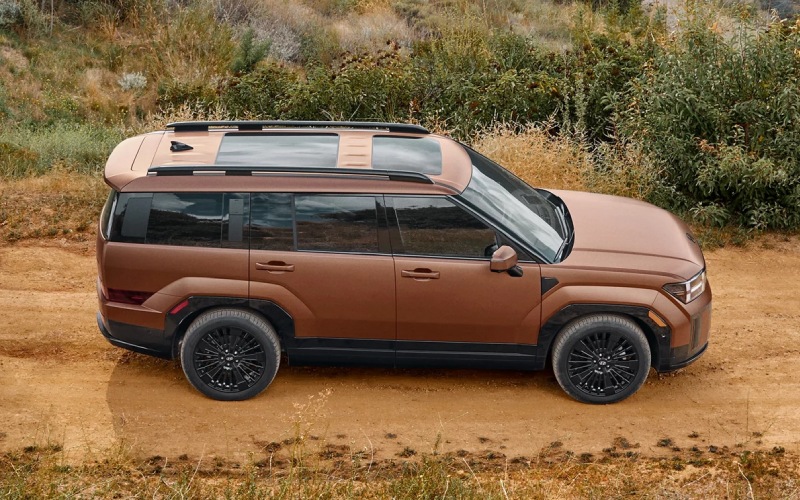
Stevens Point Auto Center – Three-Row Hybrid Confidence — How the 2026 Hyundai SANTA FE Hybrid Fits Everyday Life around Wisconsin Rapids, WI
The 2026 Hyundai SANTA FE Hybrid is more than a smart spec sheet—it is a confident, three-row hybrid that feels tailored for everyday life around Wisconsin Rapids, WI. From school drop-off near Mead Elementary to late-day grocery runs on 8th Street South, it blends quiet hybrid power with upscale comfort, space, and technology you actually use. As a hybrid with standard three-row seating, it is ready for your crew, your gear, and your changing schedule—without overcomplicating the drive.
Let’s talk about how the SANTA FE Hybrid supports those daily moments that matter. The hybrid system pairs a 1.6-liter turbocharged GDI 4-cylinder engine with an electric motor for a combined 231 horsepower, and the hybrid-tuned six-speed automatic keeps acceleration smooth and predictable in stop-and-go traffic along Highway 54 or when merging near the Riverview Expressway. Inside, available dual 12.3-inch displays give you an intuitive view of nav, audio, and hybrid system details, while the available full-display digital rearview mirror helps you see past tall passengers or stacked cargo on the way to Lake Wazeecha or Nepco Lake County Park.
Why the SANTA FE Hybrid’s Space and Seating Feel Right in Wisconsin Rapids
Standard three-row seating turns errands into something less hectic. Folding the third row is simple when you need cargo room for sports gear or DIY supplies from the hardware store, and available second-row captain’s chairs make kid wrangling less of a chore. The wide-opening liftgate with hands-free auto open (standard) is a small thing that becomes a big help when your hands are full. And because the interior layout is thoughtful—two-side console access, smart storage nooks, and available dual wireless charging—keeping your devices powered and your cabin clutter-free is second nature.
The available dual wireless device charging really stands out. Unlike rivals that offer one pad or require a cable for the second phone, the SANTA FE Hybrid can power two Qi-compatible devices at once. When the day gets busy—rides to the YMCA, a quick detour for dinner, or a call on the way home—staying charged without swapping cables is one of those everyday wins that add up.
Confidence-Boosting Tech That Eases Busy Roads
Driver assist features help you feel more supported, whether you are running an after-work errand or setting out for a longer weekend drive. Standard Smart Cruise Control with Stop & Go can handle the ebb and flow of traffic with less fatigue. Standard Lane Following Assist and Lane Keeping Assist work together to help keep you centered and aware. On upper trims, Blind-Spot View Monitor shows a camera feed in the cluster, which is especially useful in dense traffic on 8th Street or at complex multi-lane intersections. Highway Driving Assist (Limited) and Highway Driving Assist 2 (Calligraphy) take stress out of the drive by helping manage speed, distance, and even assisting with lane changes on longer stretches.
If you ever circle for a tighter spot downtown, available Remote Smart Parking Assist can guide the SANTA FE Hybrid into or out of a space while you stand outside. It is a parking helper that quietly becomes a favorite trick in tight lots and parallel spaces—reducing door-ding worries and saving time.
Why Hybrid Power Fits the Rhythm of Wisconsin Rapids
Hybrid power shines at low speeds and during frequent starts and stops—exactly the kind of driving many of us do during the week. The SANTA FE Hybrid’s electric motor helps the SUV pull smoothly from a stop and fill in torque at lower speeds, while the engine and motor coordinate to deliver consistent power on the open road. It is not just about efficiency; it is about composure. The six-speed automatic feels natural and responsive, and available HTRAC All Wheel Drive adds confidence when roads are slick or unpaved toward out-of-the-way trailheads.
Cabin quietness is another perk. In EV-assisted moments, the SANTA FE Hybrid glides through neighborhoods with a calm demeanor you notice immediately. Conversations are easier, kids nap longer, and music sounds clearer—small comforts that add up to a better daily drive.
- Seating Flexibility: Standard three rows with easy-access configurations for people and cargo
- Visibility Help: Available full-display digital rearview mirror and Surround View Monitor
- Charging Ease: Available dual wireless device charging for two Qi-compatible phones
- Highway Support: Highway Driving Assist and available HDA 2 for lane-change assistance
- Parking Made Simple: Available Remote Smart Parking Assist for tight spaces
These are tangible benefits you feel right away—especially when schedules get stacked and your route takes you from errands to activities to a quick dinner pickup.
Frequently Asked Questions:
Does the 2026 SANTA FE Hybrid really have three rows as standard?
Yes. Unlike many hybrid crossovers that seat five, the SANTA FE Hybrid offers three rows standard with seating for up to seven, giving you flexibility for passengers or cargo.
Which trims offer advanced highway assists and camera tech?
Highway Driving Assist is standard on Limited, while Highway Driving Assist 2 is standard on Calligraphy. Blind-Spot View Monitor and Surround View Monitor come standard on Limited and Calligraphy.
Can I get All Wheel Drive on the SANTA FE Hybrid?
Yes. HTRAC All Wheel Drive is available, adding extra confidence for variable road conditions and loose surfaces.
Everyday comfort also gets a thoughtful boost. Available second-row captain’s chairs with power-recline, premium materials on upper trims, and the straightforward infotainment interface make the SANTA FE Hybrid a place you will want to spend time. Add Bluelink+, which includes remote start, climate preconditioning, and lock/unlock via compatible smartphone at no extra cost, and your daily routine gains a new level of convenience.
If you are comparing options in Wisconsin Rapids, pay close attention to a few differentiators. Many two-row hybrids just do not offer the same people-or-cargo flexibility for sports gear runs, weekend outings, or carpool duty. Dual wireless charging is not just a spec—being able to power two phones at once without cables keeps the cabin organized and everyone ready. And a full-display digital rearview mirror is a game-changer when the back is full of passengers or larger items.
When you are ready to explore trims and features, Stevens Point Auto Center can walk you through the details and help you decide what configuration aligns with your life in Wisconsin Rapids. From supportive driver assists to the cabin conveniences you’ll use daily, the SANTA FE Hybrid brings together hybrid confidence and family-friendly function in a way that simply fits.
If you are traveling frequently between communities, our team is experienced at serving Wausau, Plover, and Wisconsin Rapids, and we can help coordinate an efficient test-drive and delivery experience that works with your schedule. Take a closer look at the SE, SEL, Limited, and Calligraphy to see how each builds on the last in comfort, tech, and premium safety. With a calm ride, clever storage, and the capability you want for regional day trips, the SANTA FE Hybrid is an easy yes for everyday life.
Request more 2026 Hyundai SANTA FE Hybrid information
2026 Hyundai PALISADE Hybrid — Real-World Space, Comfort, and Tech for Wausau, WI Drives
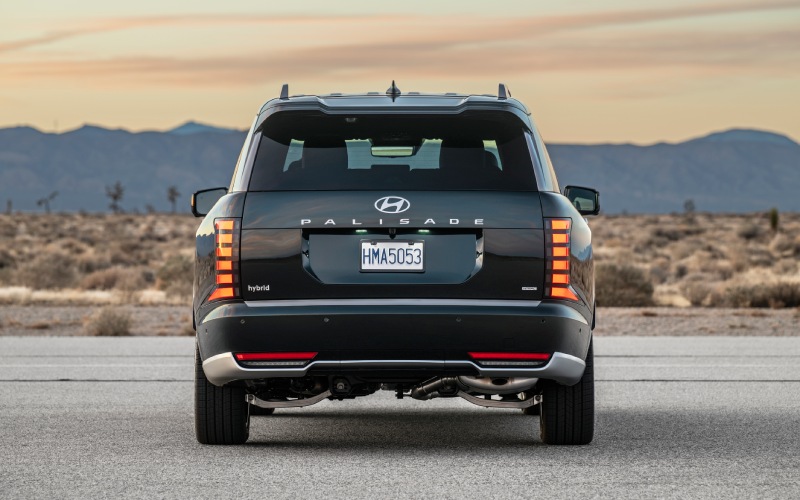
Stevens Point Auto Center – 2026 Hyundai PALISADE Hybrid — Real-World Space, Comfort, and Tech for Wausau, WI Drives
The 2026 Hyundai PALISADE Hybrid brings an extra layer of everyday confidence to Wausau, WI driving—smooth power, crisp response, and a cabin that makes even short trips feel special. If your week flows from morning drop-offs by Rib Mountain Drive to afternoon runs across the Wisconsin River, the PALISADE Hybrid’s effortless acceleration and quiet interior deliver the kind of calm you notice on day one—and appreciate more with time. Let’s look at why this three-row stands out for families and professionals who want comfort, tech, and practical flexibility without compromise.
Balanced power meets calm composure
The PALISADE Hybrid pairs a turbocharged 2.5L engine with an electric system for a combined 329 hp that feels decisive but not jumpy. Merging onto US-51, climbing hilly streets near Rib Mountain, and threading through post-game traffic all feel natural with the Hybrid’s refined power delivery. Available HTRAC All Wheel Drive adds Terrain Mode to adjust traction response when pavement turns to gravel or conditions get unpredictable, and the chassis tuning keeps the ride quietly composed. The result is simple: you get confident thrust when you need it and a relaxed feel when you don’t—exactly what daily life around Wausau asks of a three-row SUV.
What also stands out is how consistently the PALISADE Hybrid stays quiet. The way the cabin isolates road noise and the powertrain’s smooth transitions help keep conversation easy in every row. If you’re running from the office to Horace Mann Middle School with a van full of backpacks and instruments, that hush matters more than you might expect.
Cabin tech designed to simplify the day
Inside, the 2026 PALISADE puts clarity and convenience front and center. A standard 12.3-inch touchscreen anchors the dash, and an available 12.3-inch digital instrument cluster completes a panoramic display that’s easy to read at a glance. Wireless device charging is available, and Wi-Fi hotspot capability keeps tablets online during longer trips. Families who live on their phones will love Hyundai Digital Key 2 Premium, which lets you use Apple Wallet®, Google Wallet™, or Samsung Pass® as your key—and securely share access when needed. Add Alexa® Built-In for natural voice control over navigation, audio, and compatible smart-home features, and you’ve got a cockpit that takes care of the little tasks before they become hassles.
The Hybrid’s available 14-speaker Bose® Premium Audio system creates a quality soundstage that brings podcasts and playlists to life on County Highway U. And if you want to personalize the look and feel, Hyundai’s Digital Features and Services (DFS) make it easy to add downloadable themes—fun touches that delight without adding complexity.
Space, flexibility, and calm touches for every row
One of the Hybrid’s biggest strengths is how easily the cabin adapts. With available 2nd-row captain’s chairs, accessing the 3rd row is simple, and there’s generous room for kids and adults alike. Fold down the rear rows and you get up to 86.7 cubic feet of cargo space—enough to handle a weekend at the cottage or pickup runs on Stewart Avenue. Available Nappa leather-trimmed seats add a premium touch, and available 1st- and 2nd-row relaxation seats deliver lounge-like comfort while parked. On busy days, that matters: sit back for a few minutes between errands, reset, and go.
Small details go a long way here. The 100W USB-C ports in all three rows mean everyone stays charged, and the available dual pane sunroof brings welcome light into the cabin. Available convenience features like the UV-C Sterilization Compartment and Camera Cleaning System keep everyday life tidy, too. It’s a thoughtful approach: high-impact features that make owning and using a three-row SUV genuinely easier.
Safety smarts that work in the background
The PALISADE Hybrid’s safety and driver-assistance catalog is comprehensive. Standard Hyundai SmartSense provides key features from the start, and available systems level up awareness in moments when you need it most. Highway Driving Assist 2 helps with lane centering and following distance on longer I-39 stretches, and available Blind-Spot View Monitor shows a live camera image in your instrument cluster when you signal a lane change. Available Surround View Monitor adds an overhead view around the SUV during parking, and available Remote Smart Parking Assist can help put the PALISADE into or out of tight spaces. Add the available Built-in Dash Cam with Parked Motion Detection, and you’ve got extra peace of mind on the go and while you’re away.
Choosing trims and features that fit Wausau life
If your weekly rhythm includes school traffic, Costco runs, and a regular drive to Granite Peak, the Hybrid SEL or SEL Premium trims make a strong case. You get the core tech you’ll use daily—smartphone-as-key access with Hyundai Digital Key 2 Premium, heated seating, and Surround View Monitor is available on the SEL Premium. For a more luxurious feel, the Hybrid Limited and Hybrid Calligraphy bring upscale details like leather-trimmed seating, 20- or 21-inch wheels, available 1st- and 2nd-row relaxation seats, and the integrated front-and-rear dash cam. Each step up adds features you’ll actually use, not just window dressing.
For traction across mixed surfaces—think gravel drives to trailheads or the occasional unpaved shortcut—available HTRAC All Wheel Drive is a smart add. Terrain Mode lets you dial in traction response with intuitive controls, and the Hybrid’s composed feel remains consistent even when conditions change. It’s confidence you sense immediately, from side streets near the river to wider suburban routes north of town.
Practical questions, straightforward answers
How does the PALISADE Hybrid feel in daily traffic? Smooth and decisive. Does the cabin hold up to car seats, sports gear, and constant device charging? Absolutely. Are the safety and driver-assistance features helpful without being intrusive? Yes—especially with Highway Driving Assist 2, Blind-Spot View Monitor, and Surround View Monitor in the mix. Put simply, the Hybrid provides the right blend of strength, serenity, and smart tech for Wausau’s weekday-to-weekend driving.
Frequently Asked Questions:
Is HTRAC All Wheel Drive available on the 2026 PALISADE Hybrid?
Yes. HTRAC All Wheel Drive is available and includes Terrain Mode for added traction confidence when surfaces vary.
What seating configurations are offered?
You can choose seven- or eight-passenger seating. Available 2nd-row captain’s chairs make third-row access simple.
Does the PALISADE Hybrid support smartphone-as-key features?
Yes. Hyundai Digital Key 2 Premium lets you use Apple Wallet®, Google Wallet™, and Samsung Pass® to lock, unlock, and start the vehicle.
Which audio system is available?
A 14-speaker Bose® Premium Audio system is available for rich, immersive sound throughout the cabin.
One final note for local shoppers: visit us to compare trims side by side, sit in both the second and third rows, and explore how features like the Built-in Dash Cam, Wi-Fi hotspot capability, and the dual pane sunroof feel in person. It’s the easiest way to see how well the 2026 PALISADE Hybrid matches your day-to-day around town. Stevens Point Auto Center is proudly serving Wausau, Plover, and Wisconsin Rapids with guidance tailored to real local driving.
If you’re ready to move forward, browse inventory, set up a test drive, and consider pre-approval to streamline your visit. With space, refined power, and thoughtful tech, the 2026 Hyundai PALISADE Hybrid is a confident fit for Wausau life—weekday calm included.
Request more 2026 Hyundai Palisade information
Everyday Confidence and Space — Why the 2026 Hyundai PALISADE Hybrid Fits Families around Plover, WI

Stevens Point Auto Center – Everyday Confidence and Space — Why the 2026 Hyundai PALISADE Hybrid Fits Families around Plover, WI
If you’re weighing a modern, family-sized SUV for life around Plover, WI, the 2026 Hyundai PALISADE Hybrid lands in a compelling sweet spot. It pairs a 2.5L turbo hybrid powertrain with everyday practicality—meaning confident acceleration, a quiet ride, and thoughtful features that support carpools, weekend getaways, and everything in between. Factor in available HTRAC All Wheel Drive and a robust set of driver-assist features, and you’ve got an SUV ready for neighborhood streets, highway commutes, and trips to Tomorrow River State Trail or standing-room Saturdays at pacific parks and fields.
What truly makes the PALISADE Hybrid feel family-first is how little you have to think about the tech while using it. The Dual Panoramic Display blends intuitive touch control with crisp, glanceable information. Wireless device charging and plenty of high-output USB-C ports mean every seat gets power. And yes, available features like Hyundai Digital Key 2 Premium add real-life convenience when you’re juggling grocery bags, pickup schedules, and team gear. It’s the kind of technology that stays out of the way—until you need it—then works exactly as you hoped it would.
Power, poise, and real-world flexibility
The hybrid system’s 329 hp combined output brings easy confidence when merging onto US-51 or passing on open stretches. Around town, you’ll notice how smoothly the PALISADE Hybrid transitions between electric and gas power, keeping the cabin remarkably calm at lower speeds. That quiet composure makes a difference when you’re chatting with passengers or listening to directions. Pair it with available HTRAC All Wheel Drive and Terrain Mode for added traction during wet or slushy periods, and you have an SUV designed to be your steady co-pilot year-round.
For family logistics, the PALISADE Hybrid’s versatility is a standout. Standard second-row captain’s chairs make kiddo access and car-seat maneuvering simpler, while the available 8-passenger configuration flexes for bigger groups. When you need cargo room, fold rows for generous space—ideal for strollers, sports gear, or home project supplies. If towing is on your list, the PALISADE Hybrid’s up to 4,000-pound rating with trailer brakes can handle small watercraft or utility trailers, opening the door to more weekend options.
Cabin tech that makes busy days feel easier
From the driver’s seat, the Dual Panoramic Display elevates the experience. A 12.3-inch touchscreen sits beside an available 12.3-inch digital instrument cluster, so maps, media, and vehicle data look refined and are easy to read. Available Bose® Premium Audio turns podcasts and playlists into front-row sessions. With Wi-Fi hotspot capability and wireless device charging, you can keep kids connected and entertained on longer drives to events and visits with nearby friends and family.
Thoughtful touches matter when you’re moving quickly. Power-folding mirrors open as you approach, then tuck in as you lock up—useful for narrower driveways or busier lots. The hands-free smart liftgate with auto open is another favorite for multitaskers. And for small joys, the available dual pane sunroof adds a bright, airy feel that passengers will love on scenic county drives.
Driver assistance with practical benefits
The PALISADE Hybrid’s driver-assist lineup focuses on clarity and confidence. Highway Driving Assist helps keep you centered and maintain a set speed and following distance—ideal for longer runs toward Wausau or Wisconsin Rapids. Available Blind-Spot View Monitor projects a live camera feed in the instrument cluster when you signal, making lane changes feel more transparent in multi-lane traffic. Add the available Surround View Monitor for 360-degree awareness in tight parking spots near shopping centers or trailheads.
Safety goes beyond assist tech. The available integrated front and rear Dash Cam adds an extra layer of peace of mind, even when you’re parked, thanks to Parked Motion Detection recording. Meanwhile, the Camera Cleaning System helps keep your rearview monitor and digital mirror crisp, so visibility tools are there when you need them most.
How it compares for Plover families
Compared with some hybrid competitors, the PALISADE Hybrid’s combined output feels stronger when you’re loaded with passengers and cargo. Towing capability—up to 4,000 pounds with trailer brakes—surpasses several hybrid rivals. And in the cabin, small features add up: relaxation seats (when parked), abundant USB-C ports, the available Bose system, and Hyundai Digital Key 2 Premium usability. It’s the difference between “nice to have” and “we use this all the time.”
If you’re cross-shopping, consider how all those details fit your routine: third-row access, car-seat placement, camera clarity in tight lots, and how much you value a calm, quiet ride on morning drop-offs. The PALISADE Hybrid consistently delivers on those fronts with a welcoming, upscale interior and a powertrain tuned for smoothness.
Who it’s best for
Families who want three rows, confident hybrid performance, and tech that reduces friction in everyday tasks are a great fit. It’s also a smart option if you want real towing capacity in a hybrid three-row, or if you prioritize a refined ride and a quiet cabin for time on I-39 or county routes.
- Family planners: Prefer predictable, intuitive tech and easy third-row access.
- Weekend explorers: Value towing confidence and flexible cargo room.
- Feature-focused drivers: Want a premium cabin without moving to a luxury badge.
One final point: because the PALISADE Hybrid rewards smooth inputs and anticipates your needs, it’s a welcoming SUV for drivers who share the wheel. No big learning curve—just straightforward controls and supportive assistance that make commutes and errands more relaxed.
Frequently Asked Questions:
Does the PALISADE Hybrid have available all-wheel drive?
Yes. Available HTRAC All Wheel Drive adds traction and confidence on slick or uneven surfaces and works seamlessly with the hybrid system and Terrain Mode.
How family-friendly is the PALISADE Hybrid’s interior?
Very. Standard second-row captain’s chairs enhance access, and the available 8-passenger layout offers added capacity. With plentiful USB-C ports, wireless charging, and thoughtful storage, it’s engineered for daily life with kids and gear.
Which features help with tight parking or busy lots?
Available Surround View Monitor provides a 360-degree view, Blind-Spot View Monitor shows live camera feeds in the instrument cluster when signaling, and Remote Smart Parking Assist can help maneuver in or out of tight spaces.
Is there built-in dash camera functionality?
Yes. The available integrated front and rear Dash Cam can record while driving and can record while parked using Parked Motion Detection, adding peace of mind on and off the road.
If you’re ready to explore trims and options, we can walk you through the SEL, SEL Premium, Limited, and Calligraphy differences and help you tailor features to your driving routine. For nearby families and commuters serving Wausau, Plover, and Wisconsin Rapids, the PALISADE Hybrid brings together the right blend of space, comfort, and confident hybrid performance. Visit us to see it in person—Stevens Point Auto Center will help you zero in on the perfect configuration for your daily drives and weekend plans.
Request more 2026 Hyundai PALISADE Hybrid information
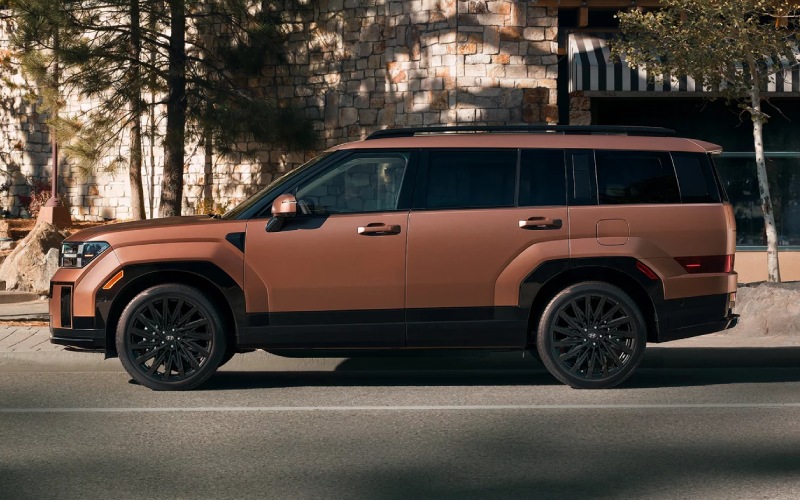
Stevens Point Auto Center – 2026 Hyundai SANTA FE Towing and Cargo Confidence for Wisconsin Rapids, WI Weekends
Why Towing Confidence Matters for Wisconsin Rapids, WI Drivers
If your weekends include hauling a small fishing boat to Lake Wazeecha or trailering bikes and kayaks for a day along the Wisconsin River, the 2026 Hyundai SANTA FE sets you up with the strength and visibility tools to do it with less stress. When properly equipped, the SANTA FE can tow up to 4,500 pounds—impressive for a midsize, three-row SUV. Equally important, Hyundai backs up that capability with tech that makes lining up, checking surroundings, and staying confident on the move feel intuitive. From camera views that simplify parking and hitching to connectivity that keeps your cabin uncluttered, it’s a family SUV that’s ready for your weekend plans.
Of course, towing capacity is only part of the story. Steering stability, braking confidence, and driver-assist features work together to help every mile feel composed. Whether you are navigating Lincoln Street or merging onto Highway 13, the SANTA FE’s road manners make it more than just a numbers win—it’s a well-rounded partner for cargo, family, and everything in between.
The Right Tools for Towing and Loading
What sets the 2026 SANTA FE apart is how it supports the whole process—packing, hitching, hauling, and unloading—without piling on complicated steps. Visibility upgrades like the available Surround View Monitor and Blind-Spot View Monitor help you gauge nearby obstacles and see down the sides when your signal is on. The available full-display digital rearview mirror uses a rear-spoiler camera to give you a clear video view behind you, especially helpful when the third row is full or gear blocks your line of sight.
Outside, the SANTA FE’s practical details show Hyundai’s attention to real-world life. The wide cargo opening and flat load floor make it easy to slide in coolers or folding chairs. The available C-pillar assist handle gives you a steady step-up point to load roof boxes or tie-downs—great when you need every cubic inch for a family day at Robinson Park. And for trims that offer it, the AC power outlet adds a convenient way to run low-draw accessories at the site or tailgate.
Cabin Tech That Makes Hauling Simpler
Towing days often mean a lot of devices, cords, and directions. The SANTA FE is ready with available dual wireless device charging and a crisp, available 12.3-inch touchscreen that makes maps and menus easy to glance at. With Bluelink+ included, you can lock or start the vehicle and set climate preconditioning on eligible trims—handy when you are staging cargo in the driveway and want the cabin ready to go.
Hyundai SmartSense also lends a hand on the road. Smart Cruise Control with Stop & Go helps you maintain distance on highways, while Lane Following Assist and Lane Keeping Assist work to keep you centered. On select trims, Highway Driving Assist or Highway Driving Assist 2 further reduces the workload on longer routes. Add available Remote Smart Parking Assist for tight trailhead lots, and even the tricky parts of adventure days start feeling routine.
Everyday Cargo Flexibility, Not Just for Weekends
Not every day calls for a trailer, and that’s where the SANTA FE’s three-row flexibility shines. Fold the third row to open up a generous cargo area or opt for available captain’s chairs to give second-row passengers a comfortable space with a clear path to the back. The hands-free smart liftgate with auto open means you can approach with arms full and still load up easily—ideal for grocery hauls or gear-heavy practices.
Inside, storage is cleverly placed. The front-and-back-opening center console makes sharing snacks or stashing cords simpler, and the second-row seating options can be tailored to your routine. For families moving between school, sports, and home, the SANTA FE keeps everything accessible and organized without feeling crowded.
How Trims Support Your Towing and Cargo Needs
If towing and cargo are your priorities, understanding the trim differences can help you choose confidently. The XRT adds HTRAC All Wheel Drive, all-terrain tires, and additional ground clearance—perfect for rougher launch points or unpaved access roads. Limited and Calligraphy add visibility tech like Surround View Monitor and Blind-Spot View Monitor, plus Remote Smart Parking Assist for extra help in tight spaces. Across the lineup, Hyundai SmartSense features come standard, and Bluelink+ is included with purchase or lease, making remote convenience part of the package from the start.
- Towing support: Up to 4,500 pounds when properly equipped gives you headroom for a small boat or utility trailer
- Visibility tech: Available Surround View Monitor and full-display digital rearview mirror help with hitching and highway lane changes
- Loading ease: Hands-free smart liftgate, wide cargo opening, and available C-pillar assist handle for roof cargo
- AWD confidence: Available HTRAC All Wheel Drive for added traction on wet launch ramps or uneven paths
- Power & ports: Available AC power outlet and dual wireless device charging to keep essentials powered
The combination of thoughtful packaging and advanced visibility tools is what makes the SANTA FE’s towing and cargo story so compelling. It’s not just about the headline number—it’s how simply and confidently you can use that capability around Wisconsin Rapids.
Frequently Asked Questions:
What is the 2026 Hyundai SANTA FE’s maximum towing capacity?
When properly equipped, the 2026 SANTA FE can tow up to 4,500 pounds. Always consult the Owner’s Manual for detailed requirements and safety guidance.
Which trim is best if I tow regularly and use unpaved access roads?
The XRT adds HTRAC All Wheel Drive, all-terrain tires, and increased ground clearance, plus useful convenience features—an appealing combination for mixed-surface weekend trips.
How do the camera systems help with towing?
Available Surround View Monitor can give you a bird’s-eye view around the vehicle, useful for hitching and navigating tight spaces. The full-display digital rearview mirror helps maintain a wide rear view even if passengers or cargo block the mirror.
Can the SANTA FE carry both passengers and bulky gear?
Yes. With three rows, an available second-row captain’s-chair setup, and a wide load area, it balances people space with flexible cargo room for family and gear.
Is Bluelink+ useful for towing days?
It can be. Starting the vehicle remotely, preconditioning the cabin, and checking status from the app are all small advantages that make staging and departure simpler.
If you’re considering a capable midsize SUV for family life and weekend towing, we would be glad to help you compare 2026 SANTA FE trims, features, and accessories. At Stevens Point Auto Center—serving Wausau, Plover, and Wisconsin Rapids—we can walk you through visibility tech, accessory options, and setup tips so you feel confident from day one.
Request more 2026 Hyundai Santa Fe information
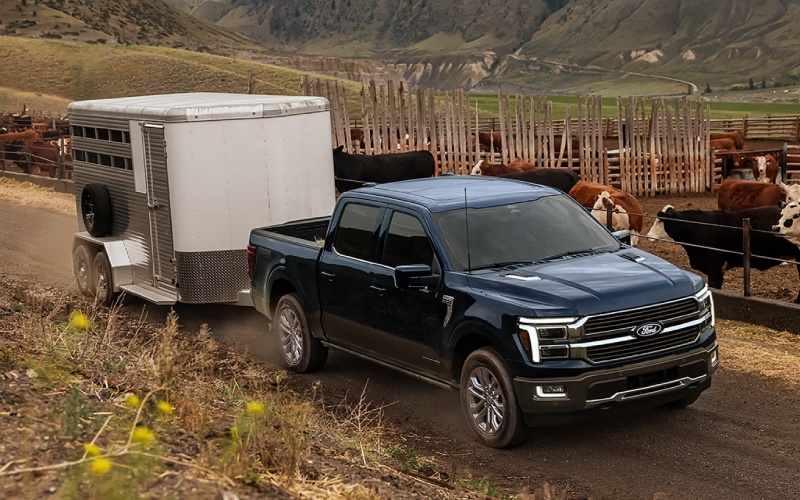
Stevens Point Auto Center – 2026 Ford F-150 Towing Tech and Everyday Utility for Wisconsin Rapids, WI Drivers
The 2026 Ford F-150 brings together capability and practicality in a way that makes daily life easier—especially when towing and loading are part of the plan. Around Wisconsin Rapids, WI, a truck needs to do more than pull confidently on Highway 54 or hold steady backing down a boat ramp by the river. It needs to be set up with the right engine, smarter trailering tech, and work-friendly features that save time and effort. That’s where the 2026 F-150 shines with its strong engine lineup, best-in-class max available towing, and helpful innovations like the available Pro Access Tailgate and Pro Power Onboard™.
If you’re deciding how to outfit a new F-150, start by mapping your routine: how much you tow, how often you’re hitching up, and how you load the bed. These details guide the engine and package choices that matter most. Below, we’ll walk through the core tech and everyday utility that make the F-150 a smart fit for drivers who split time between errands, projects, and weekends on the water.
Choosing the Right Engine for Your Tow Plan
Power isn’t one-size-fits-all, and Ford gives you a range of options to tailor your truck. If you tow frequently and value maximum confidence, the 3.5L EcoBoost® V6 is a standout with a best-in-class 13,500-lb max available tow rating when properly configured. Want strong torque plus smooth, quiet cruising? The 3.5L PowerBoost® Full Hybrid V6 pairs robust performance with the convenience of electric assist—ideal if you split time between town roads and highway runs out to Lake Wazeecha. For a classic V8 feel and strong capability, the 5.0L Ti-VCT V8 remains a popular pick for those who like the sound and predictable pull of eight cylinders.
Beyond peak numbers, think about where you tow and how. Do you tackle rolling county roads, gravel driveways, or tight parking lots at parks and landings? An engine with a broad torque curve and easy throttle modulation helps when you’re inching a trailer into position. The F-150’s available 10-speed automatic works with each engine to keep the truck in the right gear for the job, smoothing out low-speed maneuvers and highway passes alike.
Trailering Technology That Simplifies Every Hookup
The right tech can make towing feel less stressful and more consistent day-to-day. The F-150’s available 360-Degree Camera is an immediate asset, especially when you’re lining up to a trailer solo. Multiple camera views help you center the hitch without hopping in and out of the cab, saving time and frustration. Pair that with the available Tow/Haul Package’s integrated trailer brake controller, and you get fine-tuned braking input for more controlled, predictable stops.
Smart features pay dividends once you’re rolling, too. Available Ford BlueCruise allows hands-free driving on compatible highways, which can take the edge off longer hauls from Wisconsin Rapids to destinations across Central Wisconsin. While you remain attentive and ready to steer, the system’s ability to handle the grind of straight-line freeway driving frees up mental bandwidth for monitoring traffic and road conditions—a real benefit when towing.
Pro Access Tailgate: Bed Access That Works When You’re Hitched
A simple change in tailgate design can have a big impact on everyday utility. The F-150’s available Pro Access Tailgate swings out up to 100 degrees, so you can step closer to the bed—even when a trailer is connected. That means grabbing tie-down straps, a cooler, or a tool bag without contorting around a conventional tailgate. If you load and unload often, this design quickly becomes a favorite feature, especially in tight lots near boat launches or trailheads.
For those who treat the bed as a mobile workspace, the available Pro Access Tailgate complements factory tie-down points, bed lighting, and step solutions. Whether you’re organizing gear for a weekend at Nepco Lake or staging materials for a DIY project off Riverview Expressway, it’s the kind of convenience that reduces strain and speeds up the routine.
On-Site Power with Pro Power Onboard™
Few features feel as immediately useful as available Pro Power Onboard™. Being able to plug in saws, compressors, or a small refrigerator right from the truck transforms how you prep for a job or a day outdoors. At a trailhead or boat ramp, that can mean charging batteries or powering lights without carrying a separate generator. For home projects, it lets you set up wherever the work is—no extension cords required across the yard or driveway.
When you’re weighing options on your build sheet, consider how often you’d use onboard power. Many drivers who thought they’d only use it occasionally end up relying on it more and more, from tailgates to work sites to impromptu evenings by the river.
Cab and Bed Choices: Plan for People and Gear
Cab style and bed length are central to how a truck fits your life. The F-150 offers configurations designed to handle crews, families, and gear without compromise. SuperCrew® models provide generous rear legroom with rear seats that flip up to create a flat load floor, making it easy to stash coolers, tackle boxes, and tool totes out of the weather. Bed length choices let you strike the right balance between payload and parking ease around Wisconsin Rapids’ neighborhoods and shopping areas.
Inside, the available Interior Work Surface is an under-the-radar hero for drivers who like to plan routes, finalize estimates, or catch up on notes between stops. Fold the shifter, flip the surface open, and you have desk-like space—simple and effective.
Dialing in the Perfect Wisconsin Rapids Setup
For many local drivers, the sweet spot looks like this: a SuperCrew® with the 3.5L EcoBoost® V6 or 3.5L PowerBoost® Hybrid, the available Tow/Haul Package with integrated trailer brake controller, the available 360-Degree Camera, and the available Pro Access Tailgate. If you regularly run power tools or set up away from outlets, add Pro Power Onboard™. This combination delivers strong towing, easy maneuvering, and real-world utility that proves itself on city streets, county roads, and boat landings along the Wisconsin River.
It’s also worth considering a trim with trail-focused tech—like Tremor®—if you venture onto unpaved access roads or property paths. Features like Selectable Drive Modes and trail support systems help keep traction and control consistent when surfaces are loose or uneven.
Frequently Asked Questions:
Which 2026 F-150 engine tows the most?
The 3.5L EcoBoost® V6 delivers a best-in-class max available tow rating of up to 13,500 lbs when properly configured.
Is the Pro Access Tailgate useful if I tow frequently?
Yes. Because it swings out up to 100 degrees, you can get closer to the bed even with a trailer attached, making it easier to grab gear and tie-downs.
Do I need the 360-Degree Camera for towing?
You don’t need it, but many drivers find it invaluable for hitch alignment and low-speed maneuvering in tight lots near launches and parks.
Does BlueCruise help with trailering?
Available Ford BlueCruise allows hands-free driving on compatible highways, helping reduce fatigue on longer trips while you remain attentive and ready to steer.
Which cab and bed should I choose?
If you regularly carry passengers and gear, a SuperCrew® with flip-up rear seats is a versatile choice. Pick the bed length that matches your payload and parking needs around town.
When you’re ready to build your 2026 F-150, we can help you tailor the right mix of engine, cab, bed, and towing tech for your routine. From smart trailering tools to an innovative tailgate and available onboard power, this truck is engineered to take stress out of the process so you can focus on the fun part—getting where you want to go and bringing what matters with you. Stevens Point Auto Center is serving Wausau, Plover, and Wisconsin Rapids with guidance that keeps time on your side and your plans moving forward.
Request more 2026 Ford F-150 information
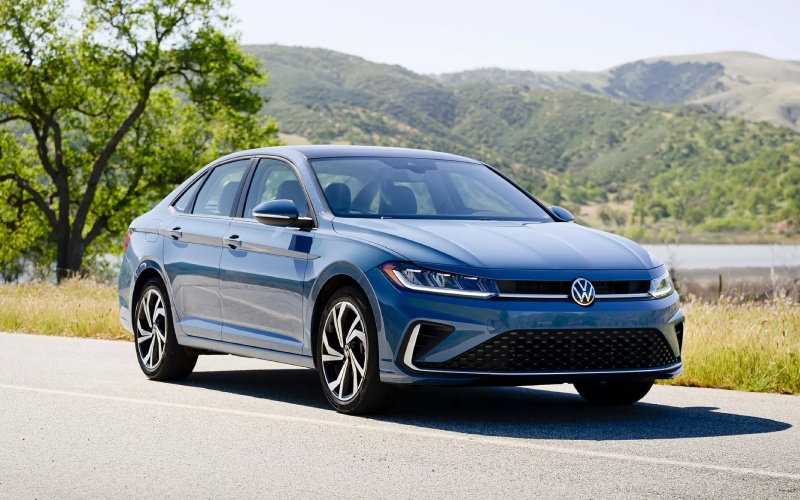
Stevens Point Auto Center – Confident, Connected Car Shopping with a Volkswagen Dealer near Appleton, WI
If you live in Appleton and want a smooth, straightforward way to shop, trade, and finance your next Volkswagen, you are in the right place. Our Volkswagen focus, transparent process, and helpful product specialists make it easy to compare trims and features, set up a test drive, and move forward with confidence. From first browse to final handshake, we guide every step so you can enjoy the drive long before you take the keys.
At Stevens Point Auto Center, we built our approach around clarity and convenience — a single destination for new Volkswagen models, quality pre-owned options, trade-in support, and personalized financing. Our non-commission team keeps the pressure off and the information flowing, so you can weigh your options, ask detailed questions, and make decisions that genuinely fit your life in the Fox Cities.
Your Volkswagen experience — built around Appleton driving
Appleton drivers cover a lot of ground, from I-41 commutes and College Avenue errands to weekend runs along WI-10. We tailor the shopping experience to match that reality. Want confidence on highway merges and lane changes? We will walk you through Volkswagen driver-assistance suites like IQ.DRIVE® in plain language and help you understand which features are standard or available on the trims you are considering. Prefer added traction for variable road conditions or rural detours to Lake Winnebago? We can help you compare Volkswagen 4MOTION® options and the differences you will feel at the wheel.
Whether you are moving up to a roomier SUV for family comfort or seeking a city-smart compact with Apple CarPlay® and Android Auto™, our product specialists will help you compare cabins, cargo flexibility, and infotainment so you can identify the features that matter most — without second-guessing later.
Inventory choice without the runaround
We keep a robust selection of Volkswagen vehicles and a wide range of pre-owned choices, giving you the flexibility to shop new, certified, or used in one visit. That way, you can cross-compare trims and equipment level by level, take an on-the-spot test drive, and get a real feel for seating, visibility, and technology before you decide. Prefer to start from home? Explore our online inventory, request walk-around details, or ask for a personalized shortlist that matches your must-haves.
Our larger dealership network also helps if you are casting a wider net or coordinating with family in other cities. We proudly support drivers in the Fox Valley and beyond — serving Green Bay, Madison, and Marshfield — while keeping the experience local, friendly, and efficient.
- Non-commission guidance: Our product specialists are here to inform, not upsell, so you can shop at your pace and ask every question on your list.
- One low price philosophy: We post our best number first to keep negotiations simple and the focus on finding your right vehicle fit.
- Transparent trade-ins: We share appraisal info and market data so you understand how we landed on the actual cash value for your vehicle.
- Simple finance options: Our lender network supports a wide range of credit scenarios with clear terms and an easy pre-approval process.
- Test drives your way: We schedule around you and map a route that helps you experience the features you care about most.
- Online tools that save time: You can apply for credit, value your trade, and request specific vehicle information before you visit.
Trade-in, made straightforward
Your trade-in should help your next step — not complicate it. We complete a thorough appraisal, reference current market values, and review the details with you so everything is clear. If you still have a loan, we can help with payoff logistics and paperwork. Prefer to sell outright? We provide real cash value offers whether you buy from us or not — and we explain how that figure was determined so you can move forward with confidence.
Financing tailored to your goals
Every driver’s budget plan is different. Our finance team designs options to fit your timeline, mileage expectations, and ownership preferences. Start with an online pre-approval to save time, then review your choices in store with a specialist who will explain the documents in plain terms. If you are comparing trims or deciding between new and pre-owned, we can create side-by-side scenarios so you see how each option aligns with your monthly goals — all before you sign.
Have a unique situation? From first-time buyers to those rebuilding credit, we work through scenarios and outline your next best steps. The objective is simple — provide clarity, help you feel prepared, and keep the process moving at your pace.
Service and parts support that keeps you rolling
Once you find your vehicle, our certified service center and parts department help you protect your investment. We use OEM parts designed for precise fit and performance, and our service advisors schedule maintenance around your calendar. From routine oil changes and inspections to tire rotations and brake work, we keep everything simple to plan and easy to track. If you like to do small projects yourself, you can order genuine parts through us and pick them up when ready.
When you arrive at Stevens Point Auto Center, you will find a modern facility, friendly advisors, and technicians who know Volkswagen systems inside and out. That combination helps you enjoy every mile after purchase — and it is a key reason so many customers return for maintenance and future vehicle needs.
Shopping from Appleton is easy
Getting here is a straightforward drive — take WI-10 West toward Stevens Point and connect to I-39/US-51 as needed. Many Appleton shoppers prefer to begin online to narrow the field. Use our inventory filters, request a personalized vehicle shortlist, and book a test drive for a time that fits your schedule. If you are on the fence between two trims, ask for a side-by-side feature comparison and we will prepare it before you arrive.
- Start your shortlist: Browse our Volkswagen selection online and save a few favorites.
- Request more details: Ask for photos, feature confirmations, or a video walk-around to preview cabins and tech.
- Value your trade: Share a few details and we will begin a market-based estimate for your vehicle.
- Book your visit: Choose a convenient date and we will have your test-drive vehicles ready when you pull in.
Frequently Asked Questions:
How far is your showroom from Appleton?
Plan on roughly an hour, depending on traffic and your exact starting point. Many drivers come in via WI-10 West and connect to I-39/US-51 for a quick, predictable route.
Can you help if I am switching from another brand to Volkswagen?
Absolutely. We will outline Volkswagen features and systems like IQ.DRIVE® and 4MOTION® in everyday terms, arrange back-to-back test drives, and provide a clear trade-in appraisal for your current vehicle.
Do you carry Certified Pre-Owned Volkswagen models?
Yes. When available, our certified options undergo a rigorous inspection and include manufacturer-backed benefits. Ask us to flag CPO choices that match your preferred body style, mileage range, and feature set.
Can I start financing online?
Yes. Complete a quick pre-approval request, then review tailored options in store. We will walk you through documents and answer questions so everything is crystal clear before you sign.
Can you appraise my trade if I still have a loan?
Yes. We will verify your payoff, explain how equity is calculated, and handle the paperwork so the transition to your next vehicle is seamless.
Do you have models with Apple CarPlay® and Android Auto™?
Many modern Volkswagen vehicles support smartphone integration. Tell us which apps you rely on most, and we will help you find the trim and infotainment setup that fit your needs.
What if I am coming from another Fox Valley city?
No problem. We regularly help drivers from nearby communities across Central Wisconsin, and we are happy to coordinate schedules, prep comparison vehicles, and streamline the visit.
Our goal is simple — deliver a Volkswagen shopping experience that feels local, informed, and efficient for Appleton drivers. From feature demos and test drives to real-time trade valuations and clear finance choices, you will find what you need and skip what you do not. The result is a confident decision and an ownership experience supported by a knowledgeable service team.
If you want a dealership partner who listens first, explains clearly, and keeps your time in mind, you will feel right at home with our process. Explore our Volkswagen selection online, start your pre-approval, or ask for a personalized comparison today.
Ready to take the next step? Contact us to schedule a test drive, begin your trade appraisal, or request more information — we will reply quickly with the details you need to move forward with confidence.
Visit Stevens Point Auto Center for a welcoming showroom experience, knowledgeable guidance, and a seamless path from first browse to final delivery. Have questions right now? Reach out and let us know how we can help — we are happy to tailor the next steps to your timeline.
Appleton drivers choose us because we make things simple, transparent, and genuinely helpful. Experience that difference for yourself, and if you are comparing options today, request more information from Stevens Point Auto Center so we can prepare a shortlist that fits your must-haves before you arrive.
Request more information
Your Local Ford Dealer near Wisconsin Rapids, WI — Seamless Sales, Financing, Trade-In, and Service
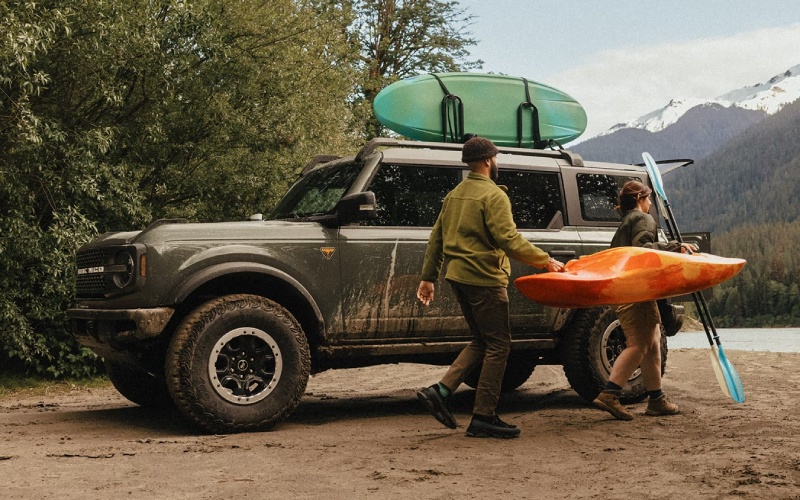
Stevens Point Auto Center – Your Local Ford Dealer near Wisconsin Rapids, WI — Seamless Sales, Financing, Trade-In, and Service
When you want a straightforward, confidence-inspiring way to shop for a Ford near Wisconsin Rapids, WI, we are right up the road with a process built around your needs. From first test drive to final handshake, our team is focused on clarity, comfort, and a pace that matches your schedule—whether you are heading in from WI-54, US-10, or the I-39 corridor.
We understand how drivers in Wisconsin Rapids use their vehicles day to day—commuting along 8th Street South, hauling gear out toward Lake Wazeecha, or navigating quick errands between Grand Avenue and Baker Street. Our approach is to make each step of your search feel easy, from exploring Ford trucks and SUVs to confirming a trade-in value and setting up convenient service down the road.
Why Shop Our Ford Inventory Near Wisconsin Rapids
From work-ready pickups to comfortable, connected SUVs, our Ford inventory is organized so you can compare options quickly. Whether you are considering an F-150 for towing and jobsite needs, a Super Duty for heavy-haul confidence, or a versatile Escape or Explorer for family and weekend plans, we make it simple to zero in on the right fit in just a few minutes.
We keep the experience relaxed and informative. Our product specialists are non-commission, so conversations focus on what suits your daily driving, cargo needs, cabin features, and technology preferences. You will find it easy to understand feature differences such as Ford Co-Pilot360 driver-assist technologies, SYNC 4 infotainment, and available trailering or off-road packages designed to support everyday capability and weekend hobbies alike.
We want every test drive to tell you something meaningful. That is why we help you map the right route for how you drive—highway, city streets, or stops and starts that reflect life around Wisconsin Rapids. If you prefer time to think after a visit, we provide clear next steps, thoughtful comparisons, and an easy way to request more information when questions come up later.
Trade-In Made Simple
Your current vehicle is a key part of your plan, and we keep trade-ins transparent from the start. Our team evaluates market data, condition, and demand to provide real numbers you can trust. There is no guesswork—just an offer you can review at your pace, with straightforward answers to any follow-up questions.
- Condition and maintenance history: Service records, mileage, and overall care help us understand how your vehicle has been kept.
- Market demand: Current retail and auction trends inform a competitive valuation for makes, models, and trims like yours.
- Equipment and features: Popular packages and options—such as advanced safety tech or tow equipment—can boost value.
- Local desirability: Regional preferences around Wisconsin Rapids, Plover, and Stevens Point help pinpoint real-world demand.
- Timing and convenience: We work at your pace, and you can sell to us even if you are not buying another vehicle today.
We keep documentation simple and explain every step so you can decide with confidence. If you want to explore numbers before visiting, tell us a bit about your vehicle and we will outline a range, then finalize your value in person with a quick, friendly appraisal.
Financing Built Around You
Financing should feel clear and manageable. Our finance managers work with a broad network of local and national lenders to match you with competitive terms, and we take time to explain how down payment, trade equity, and term length can help you reach the monthly payment that fits your plan.
Start with a quick online pre-approval to save time at the store, or sit down with us in person if you prefer a face-to-face conversation. We are equally comfortable helping first-time buyers, growing families, and business owners who need a straightforward path to a commercial vehicle.
- Multiple lender network: We compare programs behind the scenes so you do not have to.
- Fast approvals: Streamlined applications and prompt communication keep things moving.
- Tailored terms: We help align loan or lease structures with your goals for ownership and mileage.
- Protection options: Ask about products designed to safeguard your vehicle and your budget over time.
Service Expertise For Everyday Confidence
After you drive home, our service team is here to help your Ford run its best. Certified technicians, genuine OEM parts, and clear recommendations add up to automotive care you can count on—whether it is an oil change, brake service, tires, diagnostics, or a multi-point inspection before an upcoming road trip.
We offer amenities that make visits easier, including online scheduling, prompt check-in, and options for alternate transportation. If you drive a Ford, ask about complimentary Ford Pickup & Delivery when available—we can come to you, complete the work, and bring your vehicle back, saving you a trip.
- Factory-trained technicians: The right tools and up-to-date training for your exact model.
- OEM parts: Designed for proper fit, function, and lasting performance.
- Transparent recommendations: We explain what is needed now versus what can wait.
- Online scheduling: Book service at your convenience and manage your appointments easily.
Technology And Feature Guidance
From advanced driver assistance to hands-free convenience, we help you get comfortable with Ford technology on day one. Want to see how Ford BlueCruise works on compatible highways, what Ford Co-Pilot360 features do around town, or how SYNC 4 organizes maps, apps, and vehicle settings? We will walk you through setup, practical use, and ways to tailor the systems to your daily routine.
We also clarify package and trim differences so you can decide what is right for you—whether that is an F-150 Tremor®, an Explorer Platinum™, or a Bronco® Sport Badlands® with an available Sasquatch® Package. When you know exactly what each configuration offers, choosing becomes simple.
Our team supports nearby communities as well, serving Waupaca, Rothschild, and Appleton with the same easy process and attentive support you will experience here.
Designed For The Way Wisconsin Rapids Drives
Daily life around Wisconsin Rapids means a mix of quick merges onto WI-54, easy parking downtown near Veterans Memorial Park, and weekend drives out to trails, courses, and lakes. We help match vehicles to those rhythms—clear sightlines for busy intersections, towing features for boat launches, and smart cabin storage for gear-heavy days.
We are active neighbors in Central Wisconsin and built our approach around a simple idea: when the buying and ownership process is respectful, transparent, and efficient, you can enjoy your vehicle more. That is why we keep our showroom welcoming, our answers direct, and our next steps easy to follow. It is also why our vision is to be so effective that we can be helpful to others.
At Stevens Point Auto Center, we believe the best experience starts with one low price up front, clear trade-in values, and support that continues long after you take the keys. That is how we turn a single purchase into a long-term relationship you can rely on.
Shopping used or considering certified pre-owned? We are happy to explain inspection standards, warranty coverage, and how Ford service plans can add peace of mind over years of ownership. If you want to compare a few similar vehicles or features side by side, we are glad to prepare an easy, visual breakdown before you arrive.
Your time matters. Whether you prefer to research from home and then finalize in-store, or do most steps here with our team, we adapt to your preferences. If you have a specific timeline—like a trade-in you want to complete before a trip—tell us and we will structure the process accordingly.
Stevens Point Auto Center is also your resource for genuine parts and accessories. From floor liners and bed protection to roof carriers and electronics, we will help you choose components that fit properly and complement your vehicle’s capabilities.
Have questions after delivery? Reach out anytime. We will help you pair a phone, personalize driver profiles, set up trailer profiles, or explore Drive Modes so your Ford is ready for the tasks you do most.
When you are ready, a quick visit is all it takes to get started. We will greet you, outline a plan based on what you want to accomplish, and guide you through inventory, test drives, trade-in, and financing without pressure. If a specific vehicle is on your mind, let us know and we will have it pulled up and ready.
From a first car to a family SUV or a truck that works as hard as you do, our team is here to make every step clear and comfortable. That is the promise behind everything we do—and what you can expect each time you visit.
Frequently Asked Questions:
How close are you to Wisconsin Rapids, and what is the best way to get there?
We are a short drive from Wisconsin Rapids via WI-54 or US-10, with easy access from I-39. Many guests plan a test drive, lunch, and a service visit on the same trip to keep errands efficient.
Can I start my finance application online before I visit?
Yes. Begin with a quick pre-approval to see finance options in advance. When you arrive, we will finalize details, review terms clearly, and answer any questions face to face.
Do you accept trade-ins even if I still have a loan?
Absolutely. We will appraise your vehicle, explain how remaining payoff works, and outline options so you can decide with confidence.
Will you service my Ford even if I did not purchase it from you?
Yes. Our certified technicians will care for your vehicle with genuine OEM parts. Ask about available Ford Pickup & Delivery to simplify routine maintenance.
Can you help me understand the differences between similar trims or packages?
That is our specialty. We will compare features, capability, and technology—such as Ford Co-Pilot360, SYNC 4, Pro Power Onboard, and available off-road or tow packages—so you can choose what fits your life best.
At Stevens Point Auto Center, your experience is the priority—clear information, easy decisions, and support that continues after the sale. If your search starts with a question or two, we are happy to answer those first and build from there.
Ready to take the next step with a Ford dealer near Wisconsin Rapids, WI? Request more information today, and we will prepare options tailored to your needs—inventory to test drive, a transparent trade-in estimate, and financing paths that make sense for you. We look forward to helping you get everything just right.
Contact Stevens Point Auto Center to request more information, schedule a test drive, or start a trade-in and pre-approval in minutes. We are ready when you are.
Request more information
Connect with us


- Ford
- Ford Bronco Sport
- Ford Dealer
- Ford Expedition
- Ford Explorer
- Ford F-150
- Ford Super Duty F-250
- Ford Super Duty F-350
- Hyundai
- Hyundai Dealer
- Hyundai Kona
- Hyundai Palisade
- Hyundai PALISADE Hybrid
- Hyundai Santa Cruz
- Hyundai Santa Fe
- Hyundai SANTA FE Hybrid
- Hyundai Sonata
- Hyundai Tucson
- Hyundai Tucson Hybrid
- Used Dealer
- Volkswagen
- Volkswagen Atlas
- Volkswagen Atlas Cross Sport
- Volkswagen Dealer
- Volkswagen Jetta
- Volkswagen Tiguan